Can I add a YouTube video to my form description?
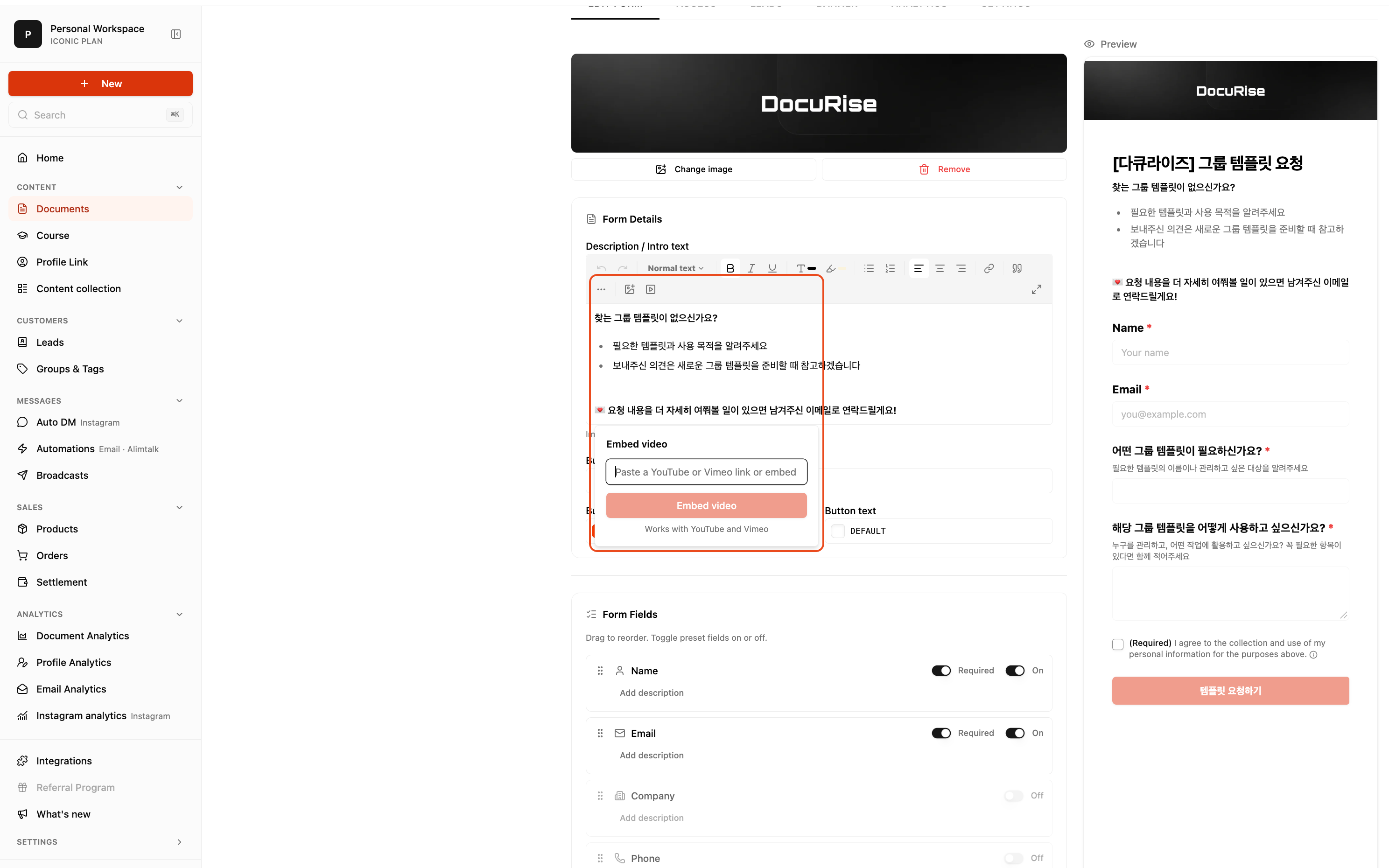
Yes. Use the Embed video button in the description editor to add a YouTube or Vimeo video.
How to add a video
- Open the form from Documents and click the Edit Form tab.
- In the Description / Intro text editor under Form Details, click the Embed video button.
- Paste a YouTube or Vimeo link, or the embed code.
- Embed video to finish.
Where the video appears
Visitors can play the video right inside the form.
- The standalone form page
- Forms embedded on other sites
- The form builder preview
Good to know
- Only YouTube and Vimeo videos are supported.
- If you paste a link from another site, you'll see a message and the video won't be added.
- Video links already pasted into the description don't turn into videos automatically. Add them again with the button.
Still need help?
Tell us what you need help with and which screen you are using.