Where do I edit the screen people see after submitting a form?
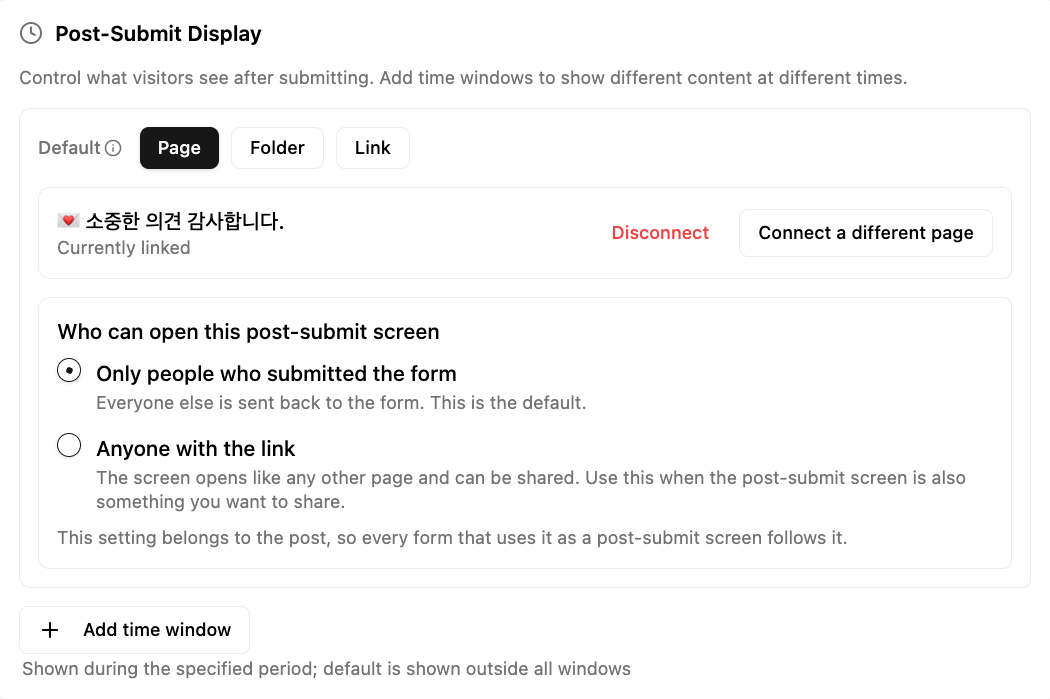
Check and edit the linked page under Post-Submit Display in the Edit Form tab.
- Open the Edit Form tab of the form.
- Under Post-Submit Display, check which page is linked.
- View the linked page to open the linked document and edit it.
To link a different screen, use the Page / Folder options or Connect a Post. You can also find the linked document in your document list.
To send people straight to a booking page or your own site, see Can I send people to another link right after they submit a form?.
Still need help?
Tell us what you need help with and which screen you are using.