How do I let visitors download a PDF?
Turn on Allow Document Download in the document's Protection Settings, and visitors can download the original PDF.
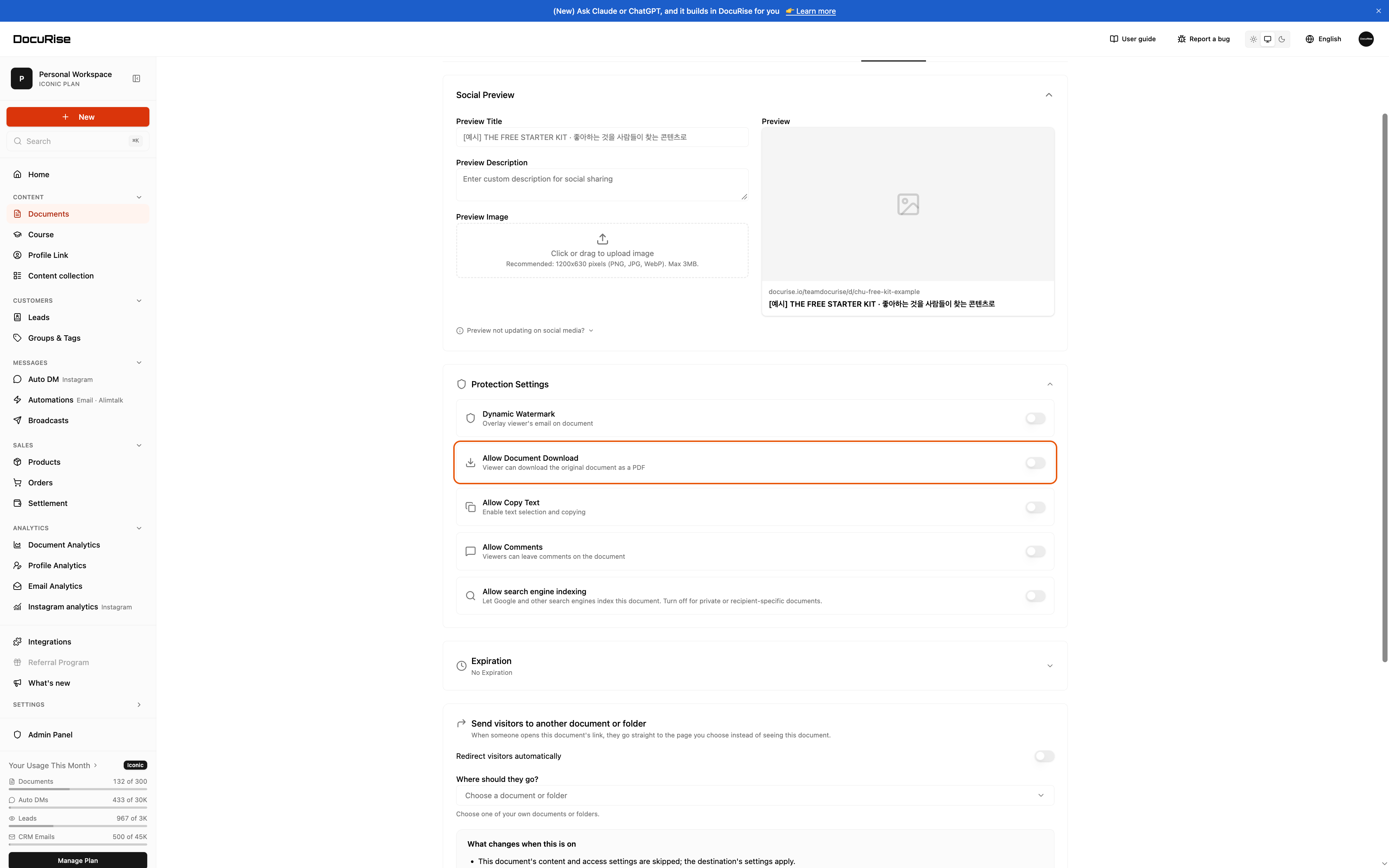
Turn on downloads
- Open the PDF document you want visitors to download.
- In the Settings tab, expand Protection Settings.
- Turn on Allow Document Download.
- Click Save Changes.
What visitors see
- While the document is opening, the download button can't be clicked. A notice says the download is being prepared.
- Once access is confirmed, visitors can click the download button.
- If access can't be confirmed, a notice asks the visitor to refresh the page. Let visitors know to refresh and try again.
Good to know
- Allowing downloads doesn't change your access settings. If the document requires an email or a password, only visitors who complete that step can open it.
- Downloaded files can be shared outside DocuRise. If you need to stop the file from being shared, keep this setting off.
Still need help?
Tell us what you need help with and which screen you are using.