If I turn on email verification for a folder, does it apply to document links inside the folder?
Yes. Visitors who open a document in the folder through its own link go through the same email verification as the folder.
Turn on email verification for a folder
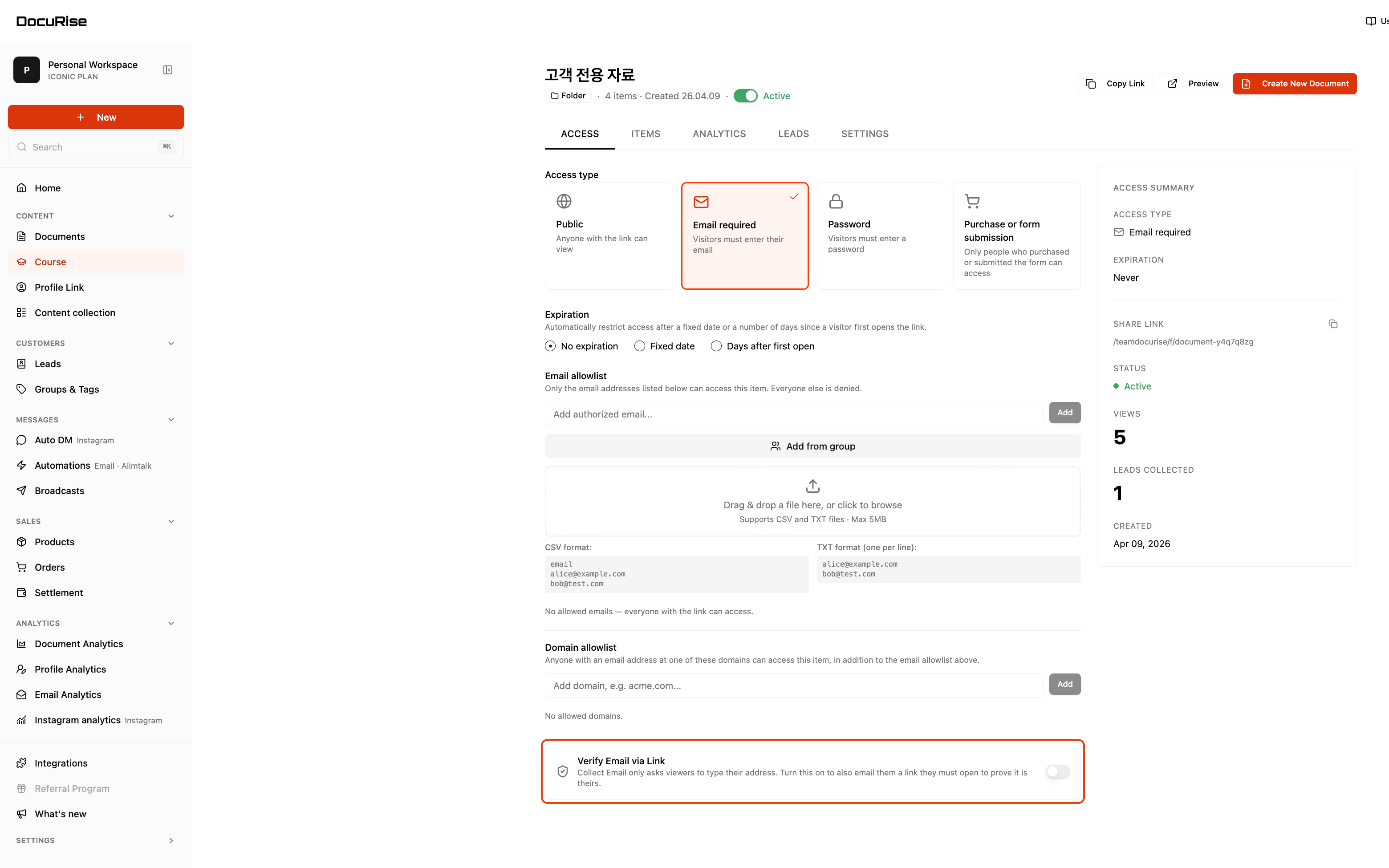
- Open the folder from Documents.
- In the Access tab, choose Email required under Access type.
- Turn on Verify Email via Link, then click Save changes.
What changes for visitors
- Nothing changes for visitors who come in through the folder link.
- Visitors who open a document in the folder through its own link also need to click the verification link in their email before the document opens.
- Visitors who previously opened a document link by entering only their email need to click a verification link once on their next visit.
Good to know
- This applies from November 13, 2026. Before that, entering an email was enough to open a document link.
- Once a browser has been verified, it opens with that email without asking again.
Still need help?
Tell us what you need help with and which screen you are using.