Can I also publish an email broadcast as a public post?
Yes. You can turn an email broadcast you're writing into a public post. It works on mobile too.
How to create the post
- Write your email in Broadcasts.
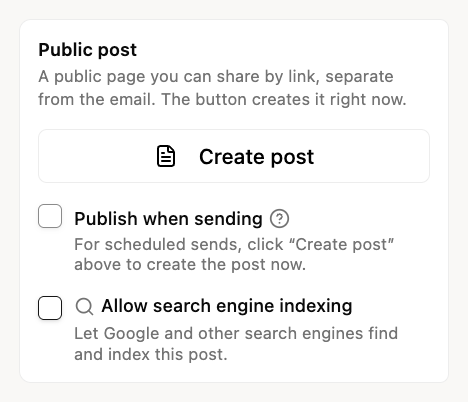
- Click Create post in the Public post section.
- If needed, set Publish when sending and Allow search engine indexing.
Good to know
- Creating a post doesn't send the email.
- Each time you save the email draft, the post body updates too.
- The post title and description follow the email subject and preview text.
- If you change the title or description directly in the post, your changes stay.
- When you send or schedule the email, the post is locked to the content at that moment.
- On mobile, the Public post section is below the sending checklist.
- Publish when sending doesn't apply to scheduled sends. Click Create post to create it ahead of time.
- You can only schedule a send on a wider screen.
Still need help?
Tell us what you need help with and which screen you are using.