Why is an email crossed out in my leads list?
It means emails can't be sent to that address. You can see the reason on the line below the email.
See all addresses you can't send to
- Go to Customers → Leads.
- Above the list, click Bounced.
- Check the reason on the line below each email.
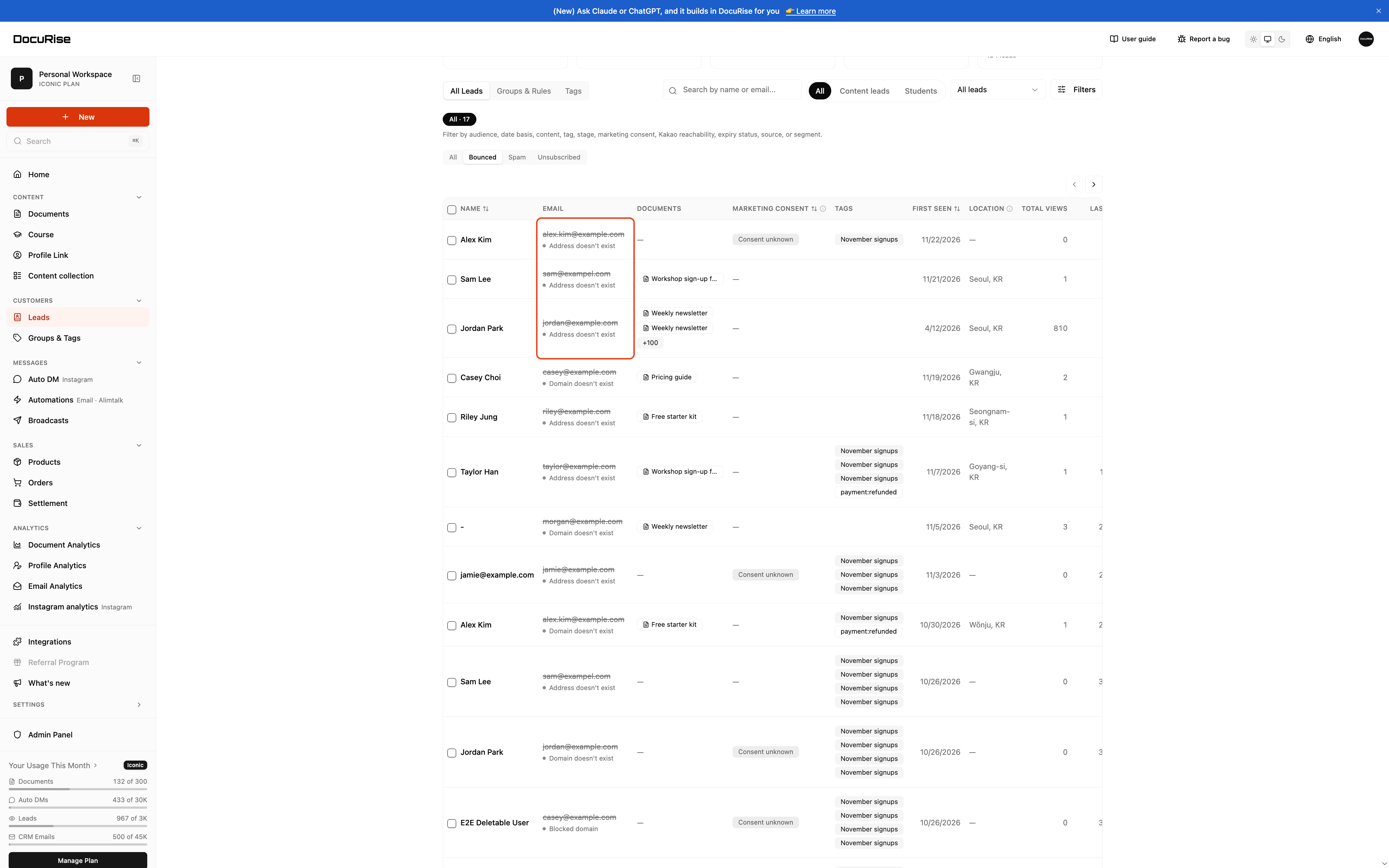
Reasons you may see
- Address doesn't exist: there's no mailbox at that address.
- Domain doesn't exist: the domain after @ has no mail server.
- Blocked domain: a domain DocuRise blocks from sending, such as a service that has shut down. It shows right away, even if you've never sent to it.
- Domain typo: we suggest the right domain, for example gmail.com?
- Address typo: the address has a typo.
Addresses shown in orange
Mailbox full, Dormant account, Temporarily refused addresses aren't crossed out. They show in orange instead.
Still need help?
Tell us what you need help with and which screen you are using.