Can I build a group based on when a tag was added?
Yes. With the Tag attached group condition, you can pick people whose tag was added within the last N days, or more than N days ago.
Create a group by when a tag was added
- Go to Customers → Groups & Tags and click Create new group.
- Choose Set conditions yourself.
- Under Who to look for first, click Add a search condition and choose Tag attached.
- Pick the tag in Tag name.
- Choose within last or more than, then enter the Number of days. It starts at within last 7 days, and you can enter 1 to 365 days.
- Check how many people are included, then save the group.
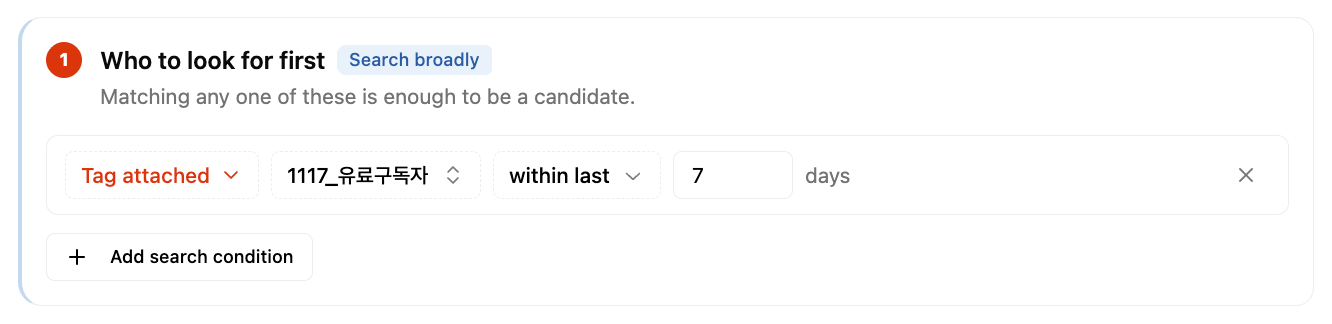
For example, you can gather only the people who got a consultation-done tag in the last 7 days and send them a follow-up.
Good to know
- If you pick this group as the recipients of a broadcast, the dates are recalculated at the moment it sends.
- Automations that start when someone enters a group don't start just because days have passed. The group is recalculated when that contact's tags or subscription status change.
- This condition is only available in the dashboard. You can't use it from AI apps or the API yet.
Still need help?
Tell us what you need help with and which screen you are using.