Turn views
into revenue
Capture leads with free resources. Guide them to your next offer.Capture leads · track interest · follow up · sell
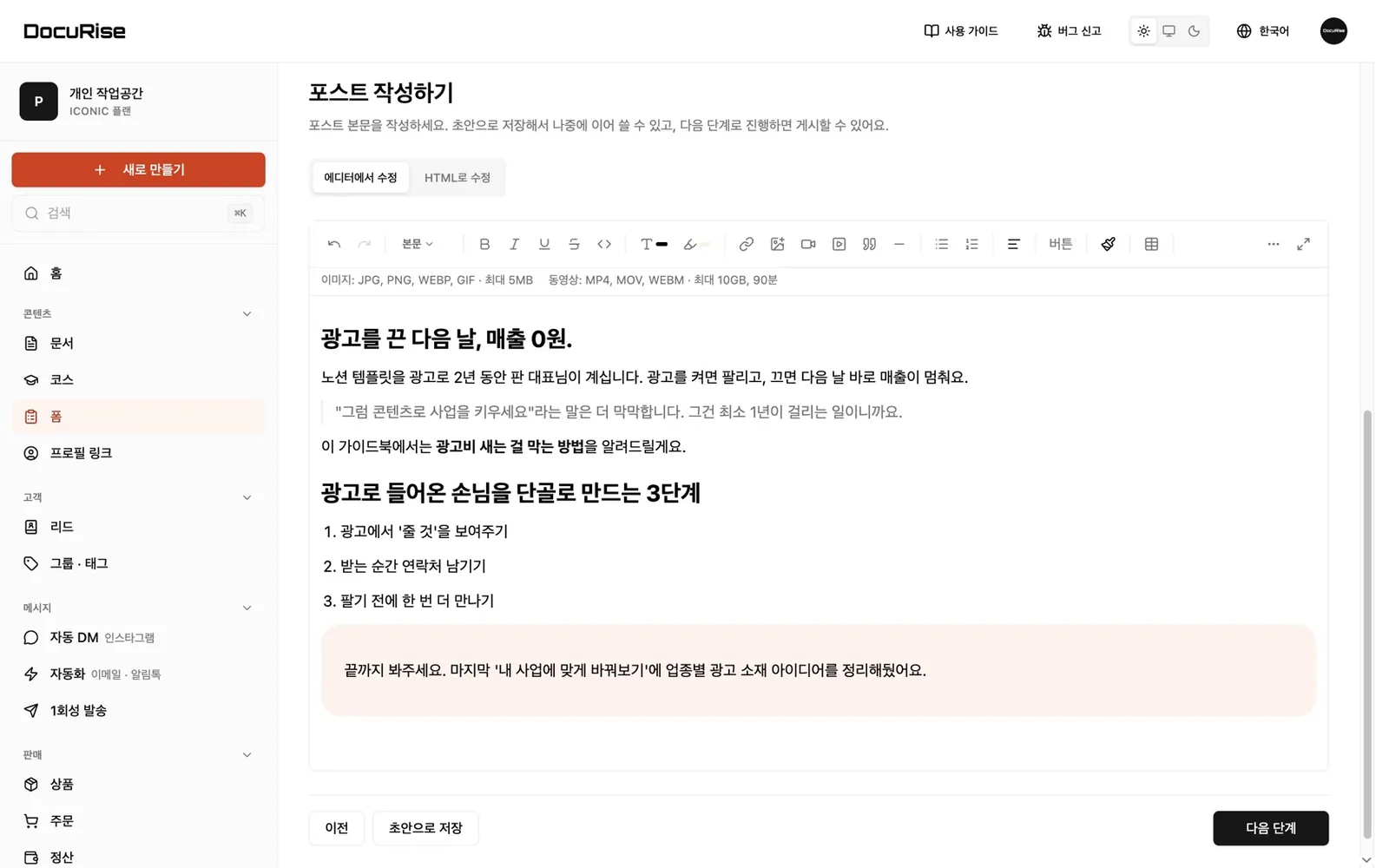
Write like in any editor, with headings, quotes and color blocks. Or upload a Notion page or PDF as is.
Write like in any editor, with headings, quotes and color blocks. Or upload a Notion page or PDF as is.
Tip: use the ← → keys
- Write your resource Write like in any editor, with headings, quotes and color blocks. Or upload a Notion page or PDF as is.
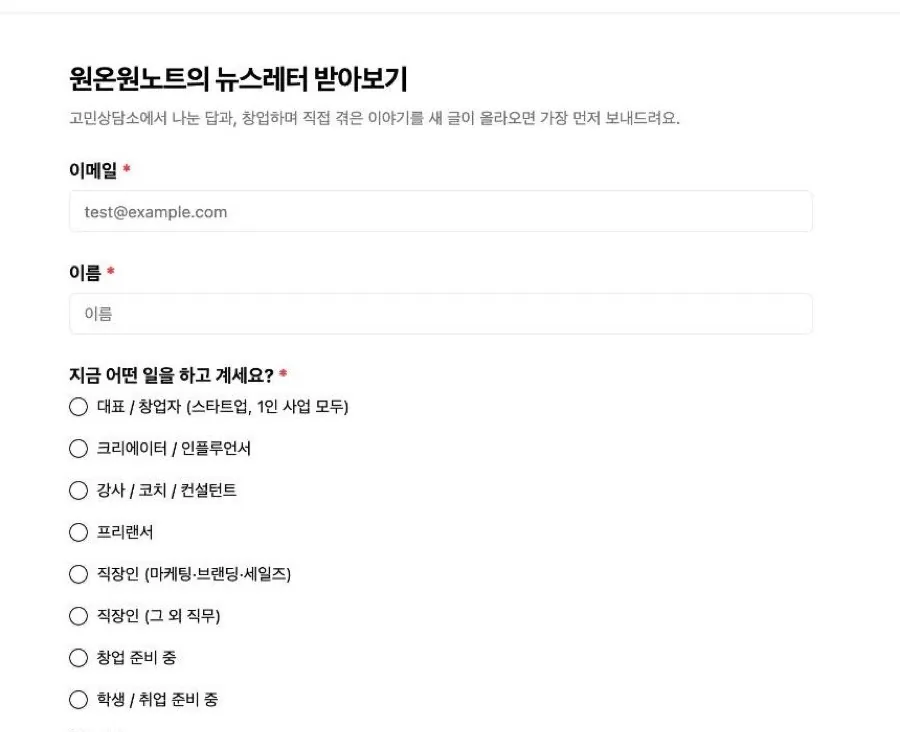
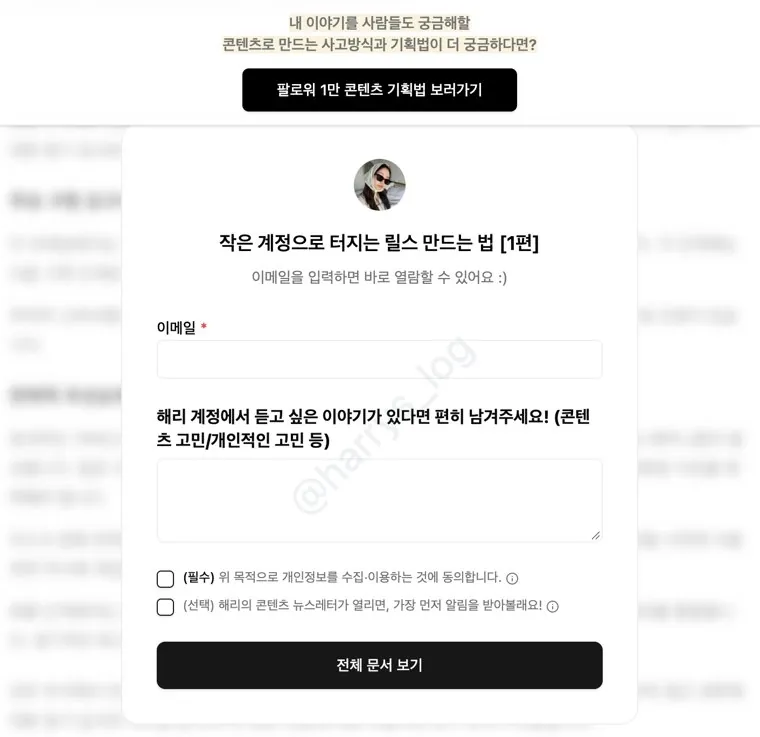
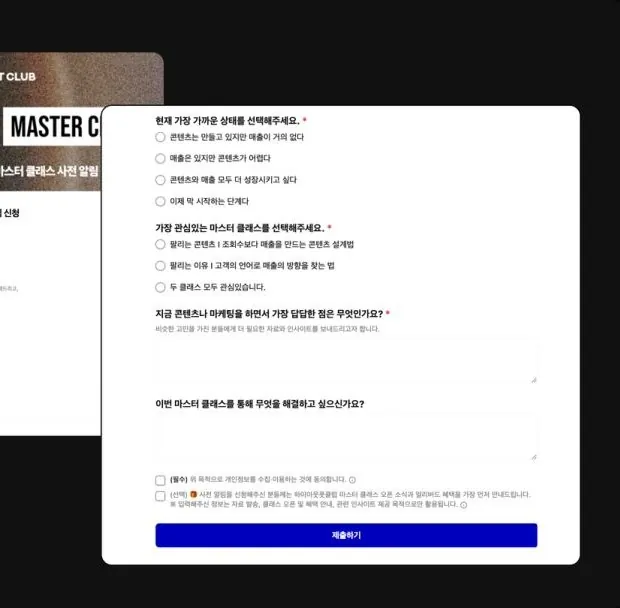
- Email to unlock Ask for an email, a name and one question. Show a preview. The rest unlocks with an email.
- Pinned top banner Stays on top while they read. Feature a case study or your current offer.
- Image popup Popups can include images. Like the one on the right, they show only to readers who reach your chosen spot.
- Floating button A button that follows them down the page. Catch readers who won’t finish today.
- Exactly as designed Followers see your design exactly as you built it. Banner on top, button following below.
- Email to keep reading They read the preview, then leave an email to continue. Your one question is asked here too.
- At the end The image popup shows only to readers who scroll to the end. Your offer reaches only interested people.
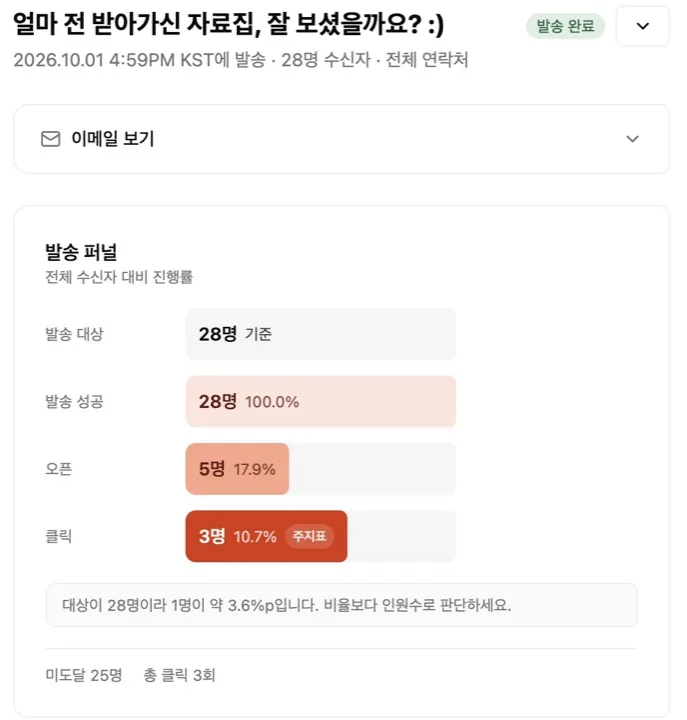
- Read to the end Opened 944 times, read to the end 163 times. Watch the 163, not the views.
- Banner and popup clicks Clicks are tracked for each. This one: 24 banner clicks, 11 popup clicks.
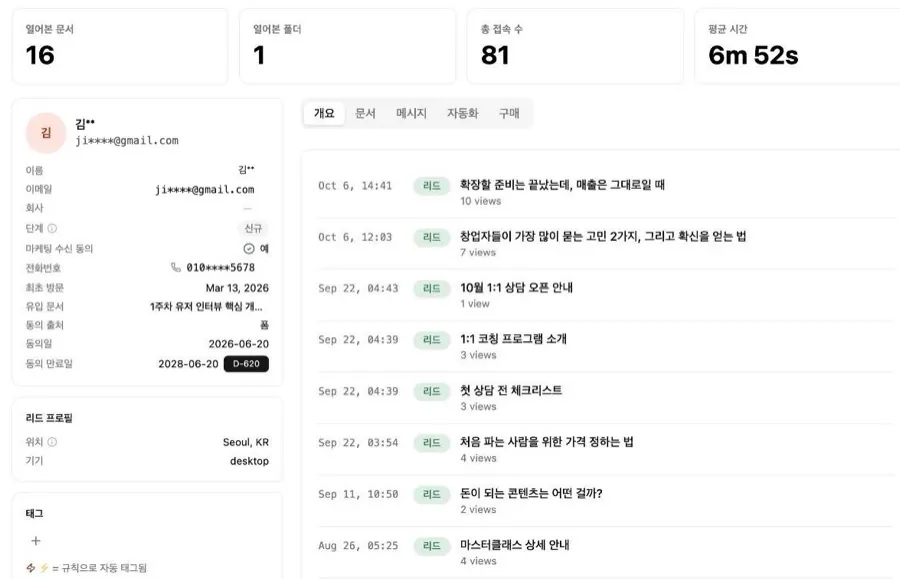
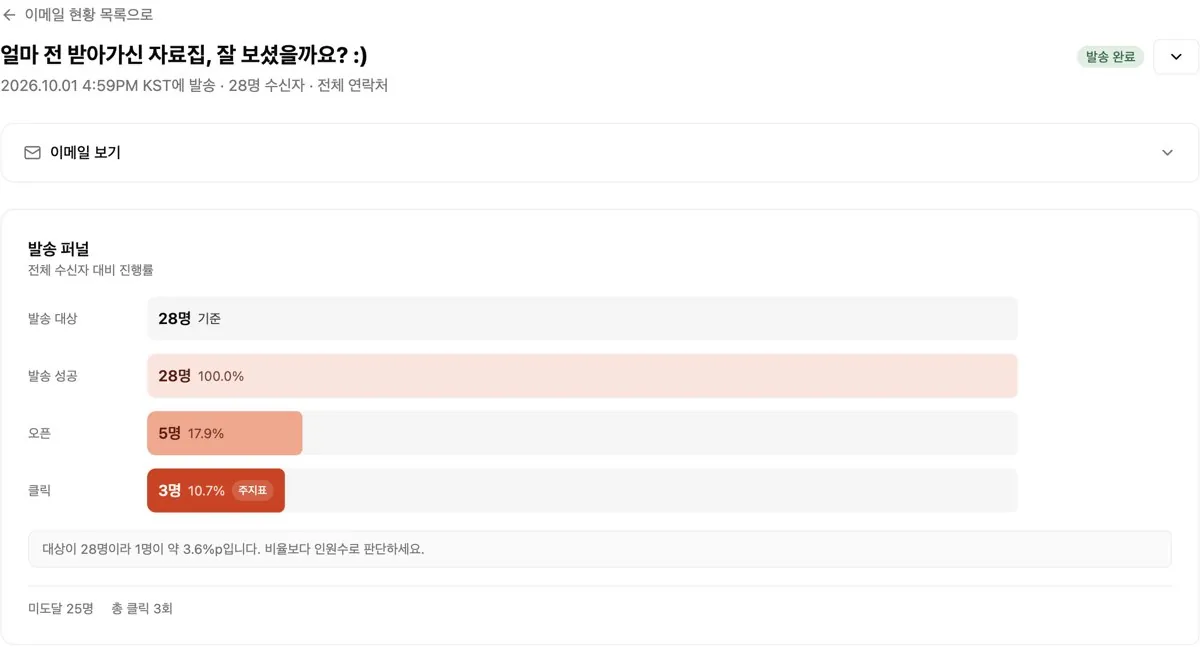
- One person’s record Click anyone to see, in order, which resources they got and which emails they opened and clicked.
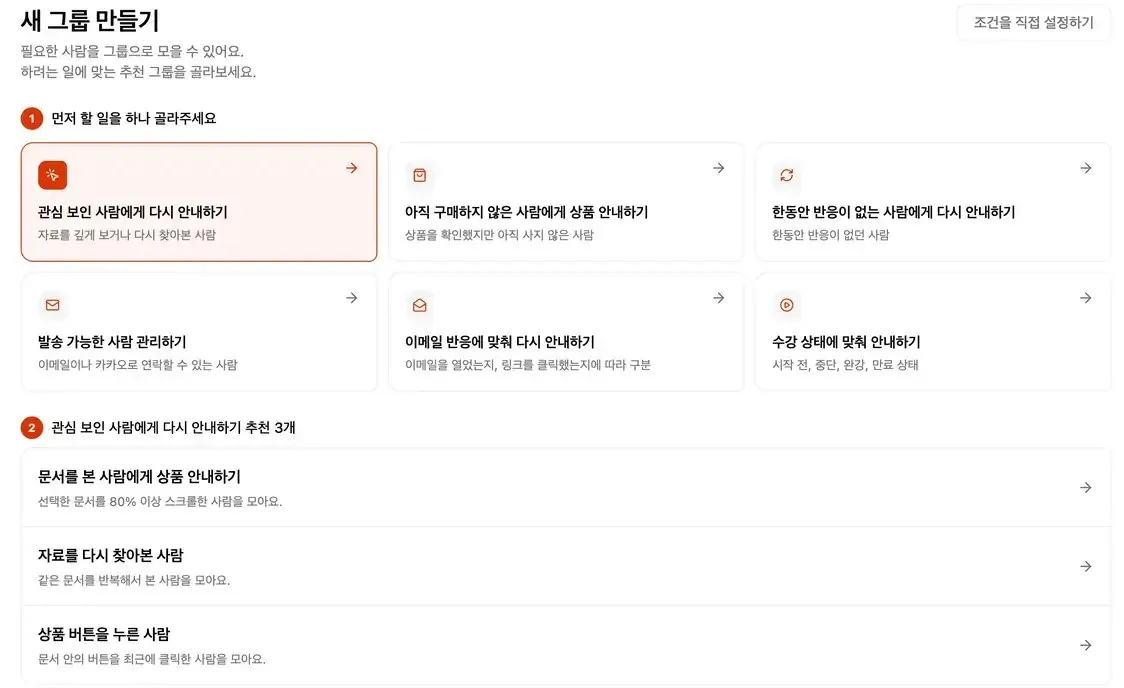
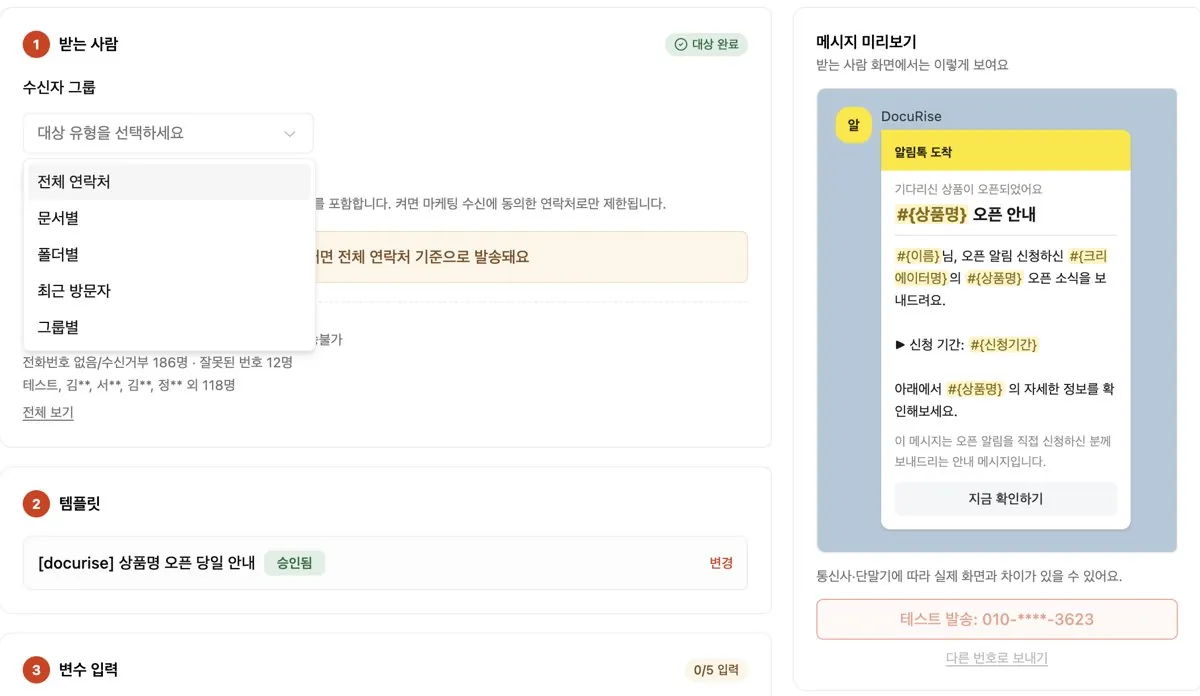
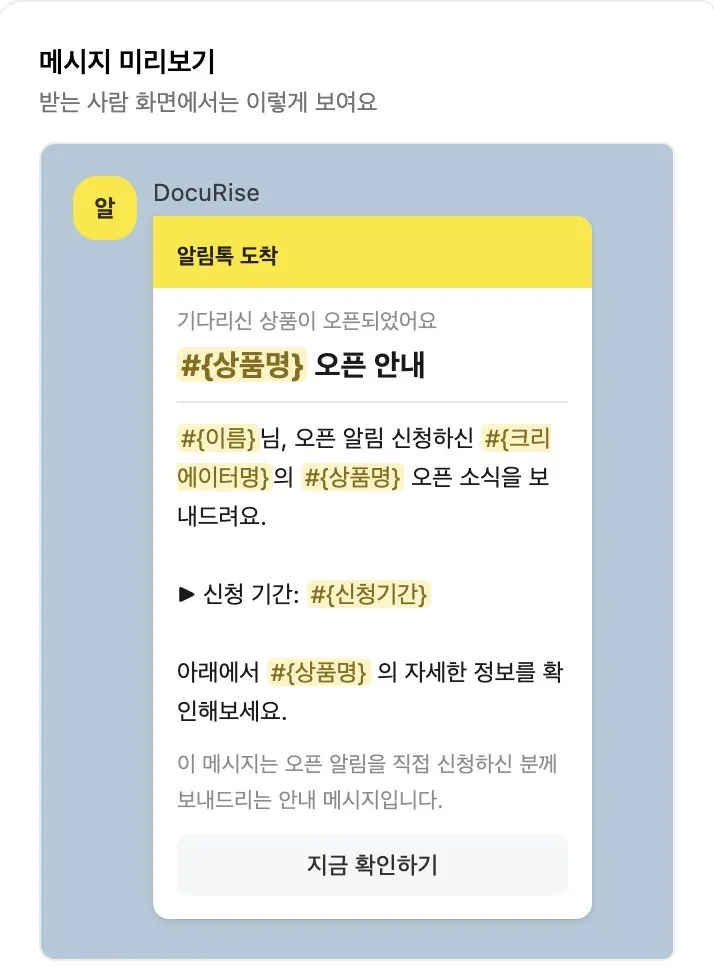
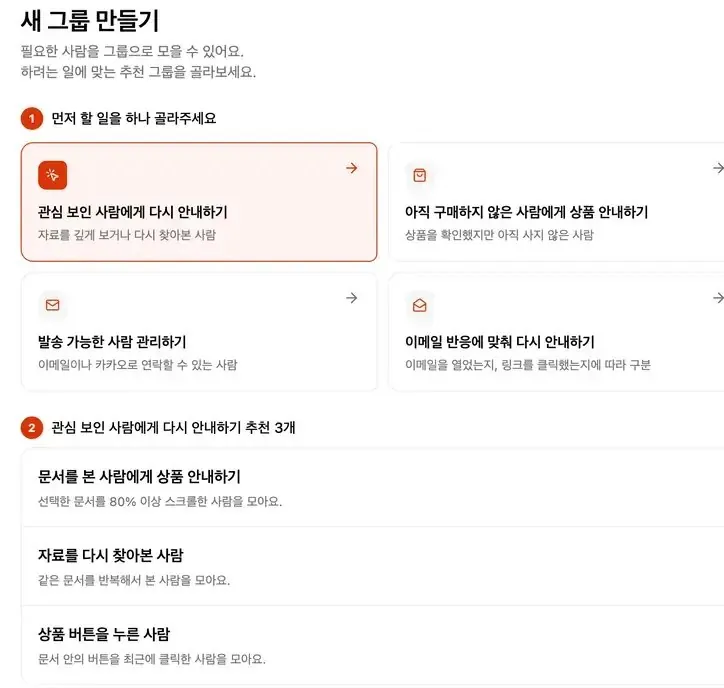
- Pick who gets the next message Pick recipients, like readers who finished or clicked a button, and send Alimtalk or email. Emails track opens and clicks too.
Creators who started early
are already earning
Read success stories →
The difference is my list and payments are in one place
₩7.75M in 12 daysRead the story →16K followers· @denniswithseo
One email to my leads, 20+ payments right away
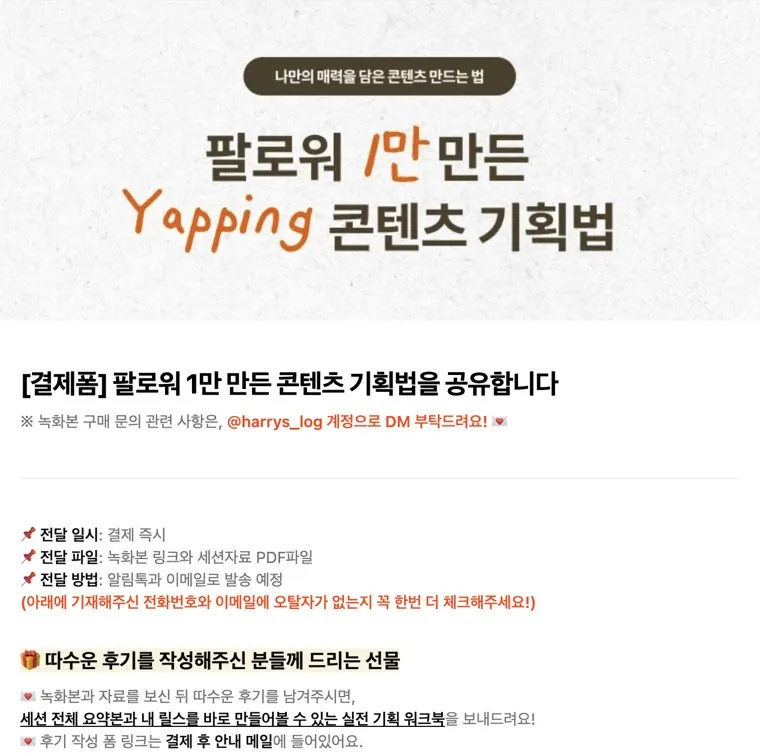
₩1.3M first revenue in 3 daysRead the story →12K followers· @harrys_log
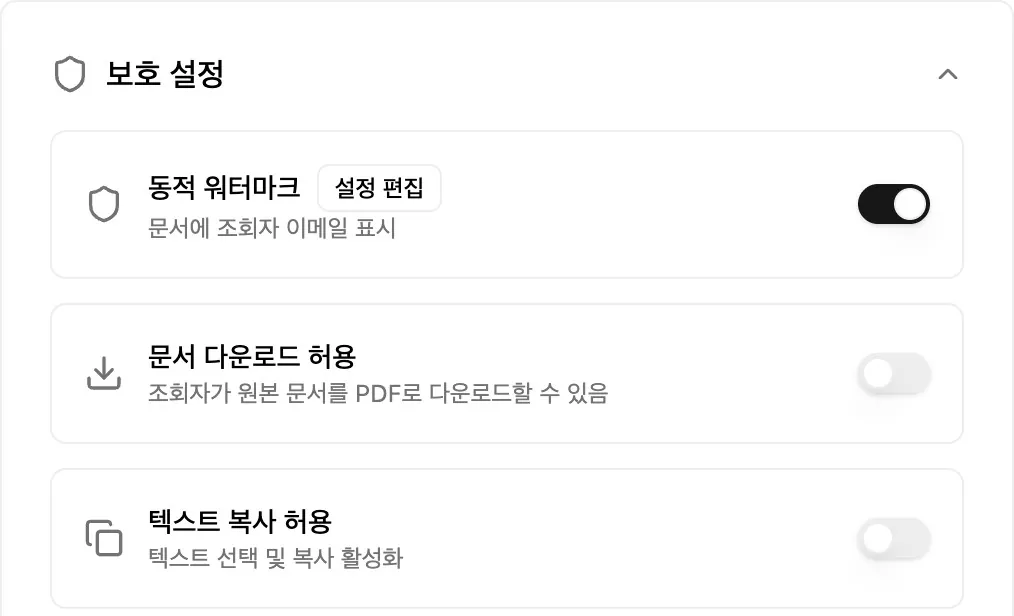
Security, read analytics and auto-sends in one go. No more hiring help to watermark
Biggest launch ever · goal hit 90 minutes after openingRead the story →52K followers· @nursingmentor_sophia
Security and lead capture at a fair price, even as I share more
Sharing led to brand dealsRead the story →64K followers· @jay.ai.gtmSound familiar?
It’s time for DocuRise
Busywork and scattered records, solved.
You’re stuck for one reason.
You can’t see who’s reading
Every person’s activity, in one record
Kim** is scattered across 4 tools
When interest peaks, you can’t tell who to message or what to send.
- Auto-DM toolDM sentthen nothing
- NotionLink openedno idea by whom
- NotionRead to the end?no record
- Google FormsOne row in a sheetis it Kim**?
- NewsletterWaiting to import contactsno one to send to
Certification course owner"We have a huge database… and we’re not using it at all."
DMs, reads and leads, logged automatically
You choose who hears next.
- Commented
- Got the resource by DM
- Left an email, started reading
- Read to the end
- Clicked ‘Join cohort 3’

"I love seeing how many people read it and how far they got!"
Share with DocuRise,
keep every reader as your next customer
They open it, you get the lead
A comment triggers a DM with your link. Before reading, they leave an email and answer one question. Waitlists and sign-ups land here too.
Start capturing leads →
"I needed auto DMs and lead collection in one, and DocuRise does both. Really happy with it."
Studio Unicorn · Branding consultant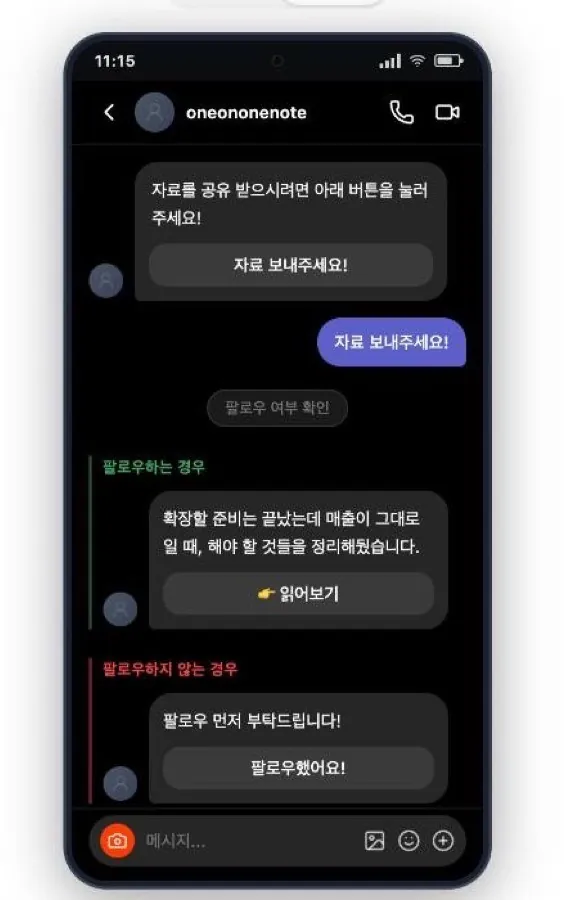
See who read to the end
Not views: how far each person read and how often they came back. Resource, form and email activity in one record.
See a lead’s record →"I realized how much I’d left to luck when sharing resources."
"I love seeing how many people read it and how far they got!"
Omun · Instatoon creator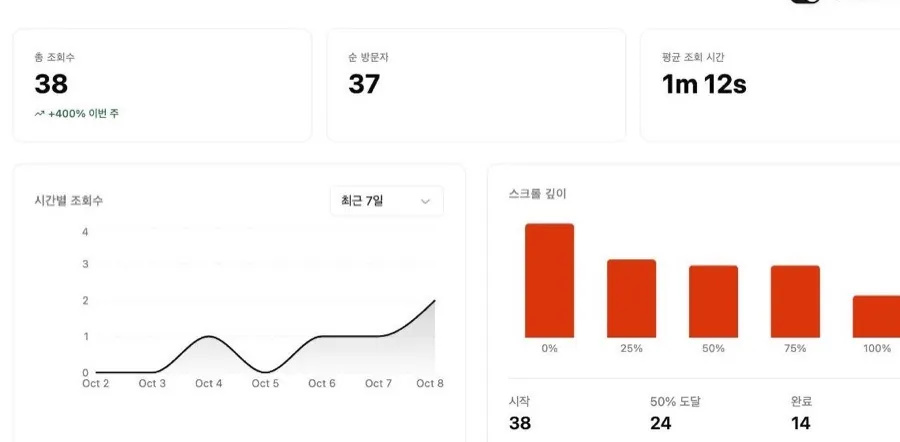
Follow up with interested readers
Post-resource emails and Alimtalk go out automatically. Offers go to the leads you pick. Buyers are left out.
Create your first follow-up →
"The moment I sent it, 20+ payments poured in, live."
"For 3 days I got to focus on DMs and stories instead of answering questions."
Harry · after one email to 333 opted-in leads from a free resource · Blog interview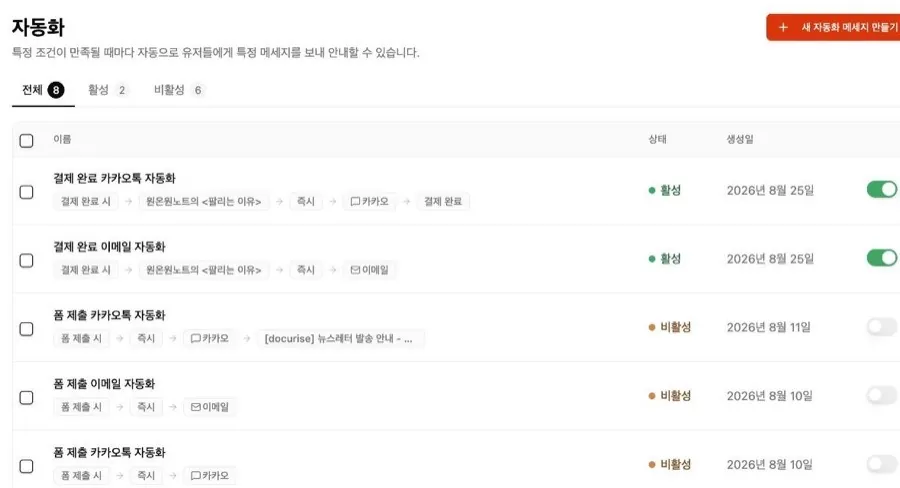
From reading to your next offer
Add banners, popups and floating buttons inside the resource. Every click lands in that person’s record.
Add a sign-up button →
"The CTA feature helped me build my first ebook sales funnel!"
"Sharing and selling in one go, with no worry about copying. So convenient."
Kim Hyein · Marketing agency owner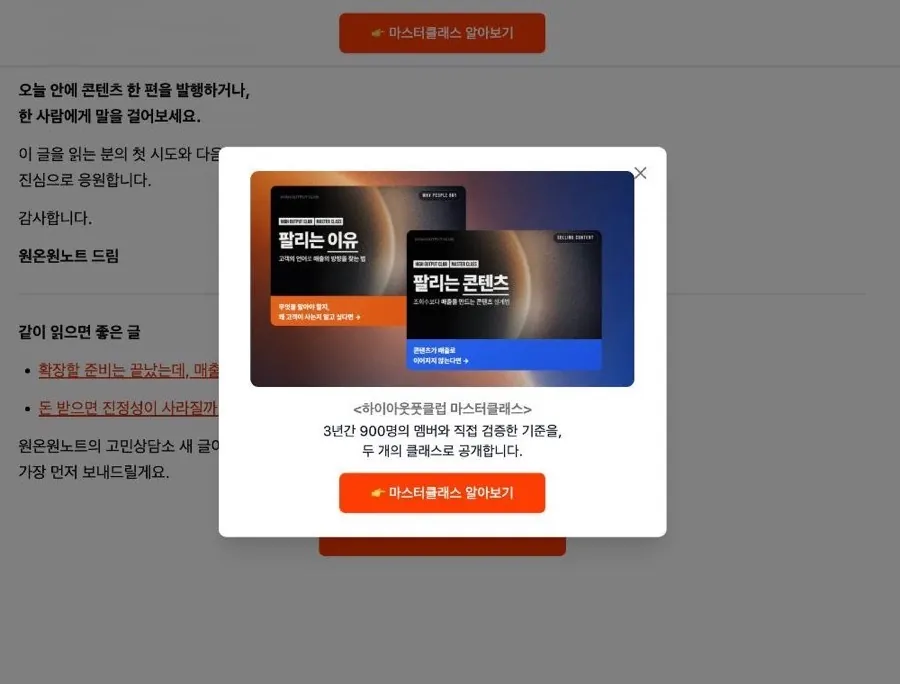
Sell inside your free resource,
right where they’re reading
"This document is like a 24-hour salesperson working for me." - Dennis
His paid course appears 3 times in a free resource: banner, popup and body. Readers became buyers.Flip the switches to try it.
Decide three things before your first 10 customers: whose problem you solve, where they’re stuck right now, and the first result you can deliver.
Didn’t sign up yet?
Follow up before they cool off
Reach readers who went deep, clicked to join or are still deciding, by email or Alimtalk.
Offer while interest is high. Sell more.
- 1Right after they get itHow-to tips go outEmail · Alimtalk
- 2NextMore on the same problemNewsletter
- 3Read to the endAuto-grouped as interestedGroups · Tags
- 4For interested leadsCase studies and consult offers, buyers excludedAlimtalk · Email
- 5After paymentPayment info and the resource, sent instantlyEmail · Alimtalk
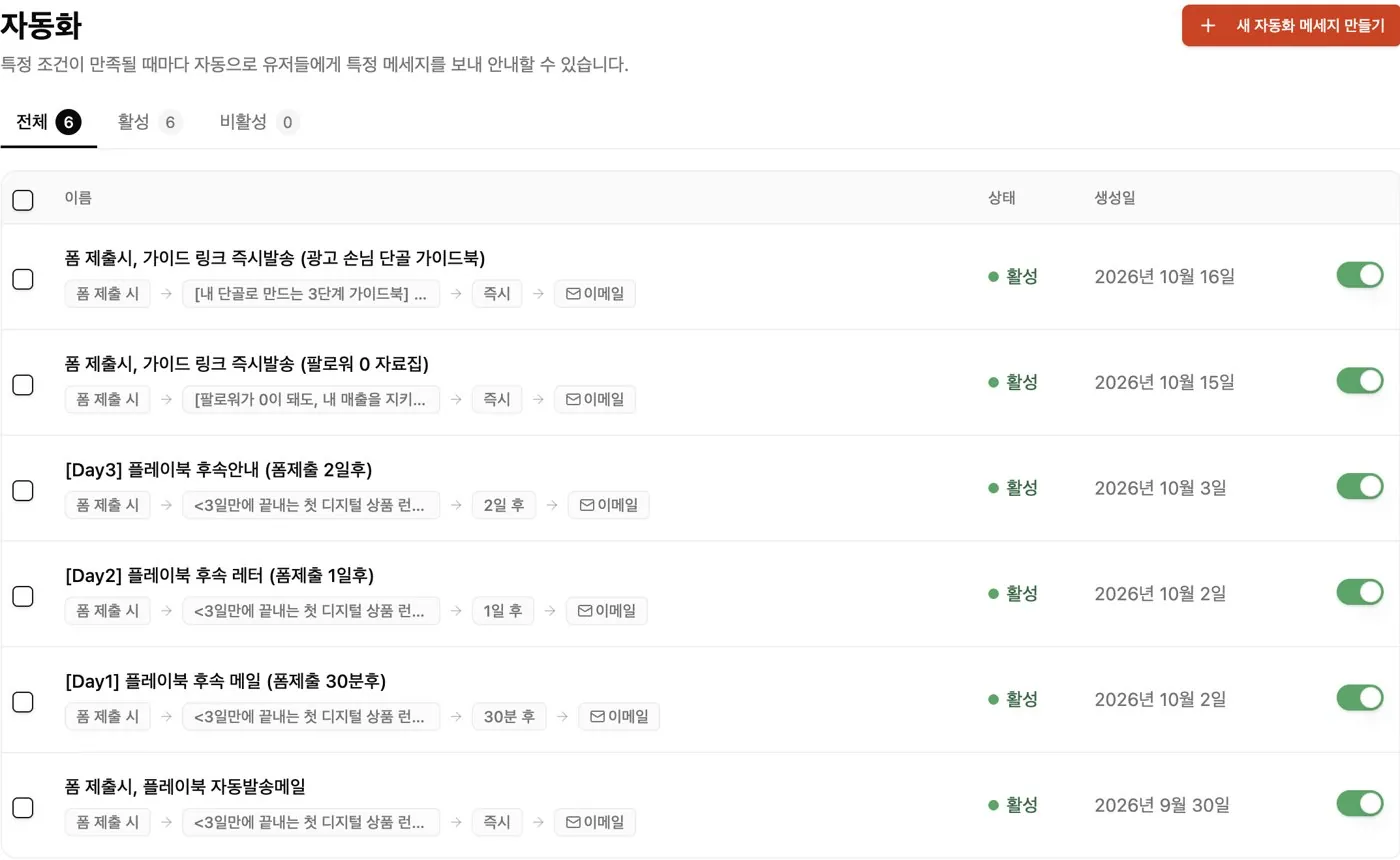
See how creators
use free resources
See all 21 resources →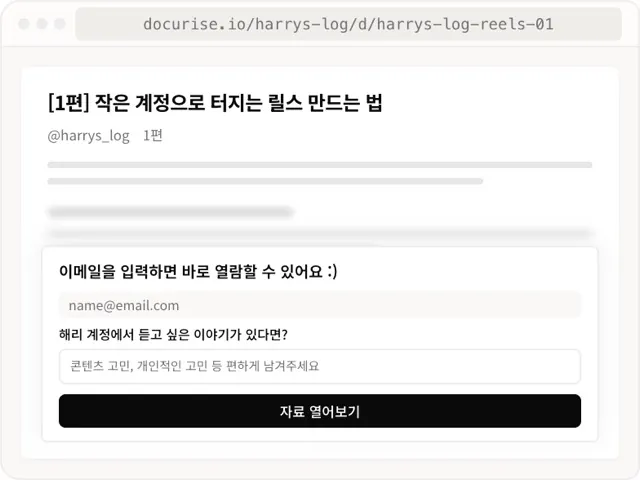
How to make Reels blow up on a small account
Harry · Reels creatorHe asked for an email and a struggle. 733 answers became his first paid product.
Open resource ↗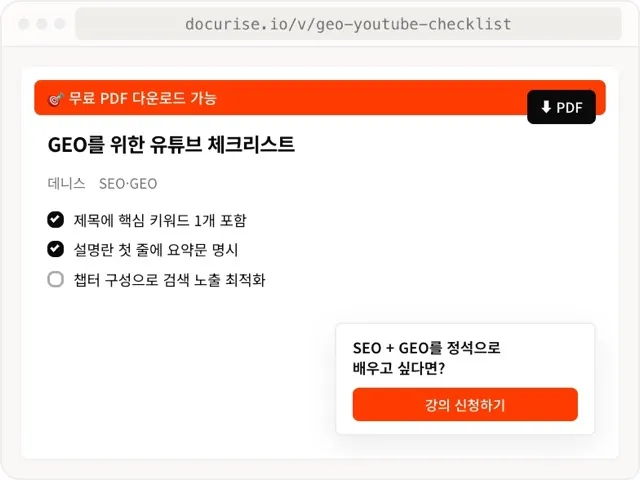
A YouTube checklist for GEO
Dennis · SEO consultantPopups and banners in the resource lead to his course
Open resource ↗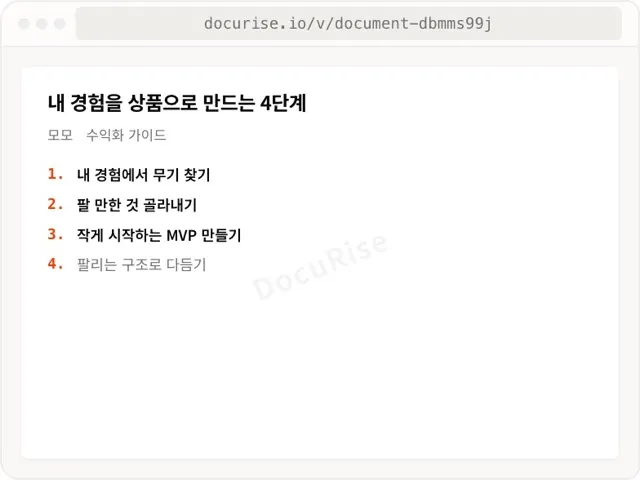
4 steps to turn your experience into a product
Momo · Monetization guideA 4-step guide for anyone planning a first product, traded for contact info
Open resource ↗From leads to follow-ups to sales,
all in one place
All in one,
from $29 a month
Billed annually. Monthly from $39. No charge during the 7-day trial.
7 days free with a card · Reminder a day before it ends · Cancel anytime
FAQs
What is DocuRise?
It turns people who take your free resource into leads, then guides them to your next product. Lead capture, interest tracking, follow-ups (email and Alimtalk) and sales, all in one place.
Do readers need to sign up or install an app?
No. Links open right in the browser. If contact capture is on, they just leave an email.
No resource yet, just a Notion page or PDF. Does that work?
Yes. Upload the Notion page or PDF you have, or write one in the DocuRise editor. Starting with one resource you already have is fastest.
Does it replace my auto DM tool?
Yes, auto DM is included (10,000 to 30,000 a month, by plan). But DocuRise doesn’t stop at the DM. See who opened the resource and how far they read, re-pitch your most interested readers by email or Alimtalk, and take sign-ups and payments right inside the resource. One comment, all the way to revenue.
Are you a Meta partner? Can auto DMs get my account suspended?
Yes. DocuRise is an officially approved Meta Tech Partner and sends DMs through Instagram’s official Messaging API. Instagram flags things like repeated identical messages or unofficial tools, not auto DMs themselves. When comments spike or limit signals appear, DocuRise eases off instead of pushing sends. More in this guide.
Is switching tools hard?
No need to move everything at once. Switch one resource to DocuRise and run it alongside your tools. Import your email list by CSV (up to 10MB, 10,000 rows). Move the rest when it fits.
Which plan is right for me?
Up to 500 contacts: Rising ($29 a month). Up to 3,000, or you want to send only to your most interested leads: Iconic ($79 a month). Both billed annually. Price doesn’t rise with your contact count. See plan details
What’s the sales fee, and when do I get paid?
You pay only when you sell: 3.9% on Rising and 2.9% on Iconic at launch pricing, plus card processing (PG) fees and VAT. Each sale becomes available after its 7-day refund window. Track it in [Sales & Payouts]. Payouts are in KRW via Traffic Machine Inc.
Do I need a card? I don’t want surprise charges.
The 7-day free trial starts once you add a card. We’ll remind you a day before it ends. Cancel before then and you won’t be charged.
More questions? Visit the help center.
Turn views
into revenue
Start with your next free resource. Keep every reader as a customer.
7 days free with a cardReminder a day before it endsCancel anytime