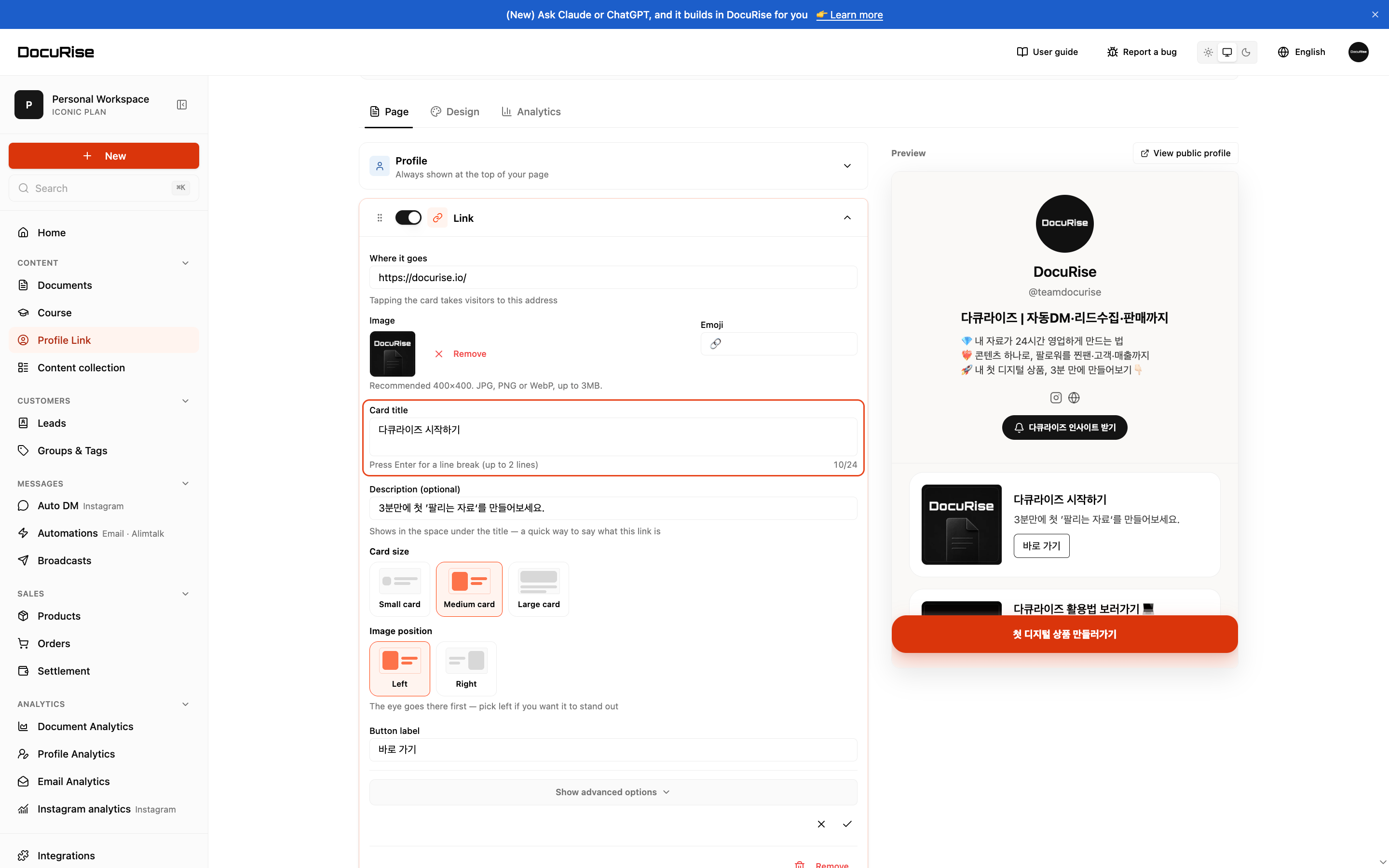
Can a profile card title span two lines?
Yes. Card titles can be up to 2 lines.
How to add a line break
- In Profile Link, expand the card.
- In Card title, put your cursor where you want the new line and press Enter.
Good to know
- This works for link, product, and document cards, group titles, and items inside a group.
- The character count shows below the field.
- If you add a third line, you'll see an error, and it won't save until you remove the extra line.
- What you typed stays in place even when the error shows.
- Line breaks show the same way on your public profile and in the editor preview.
Still need help?
Tell us what you need help with and which screen you are using.