What do the auto DM post statuses mean?
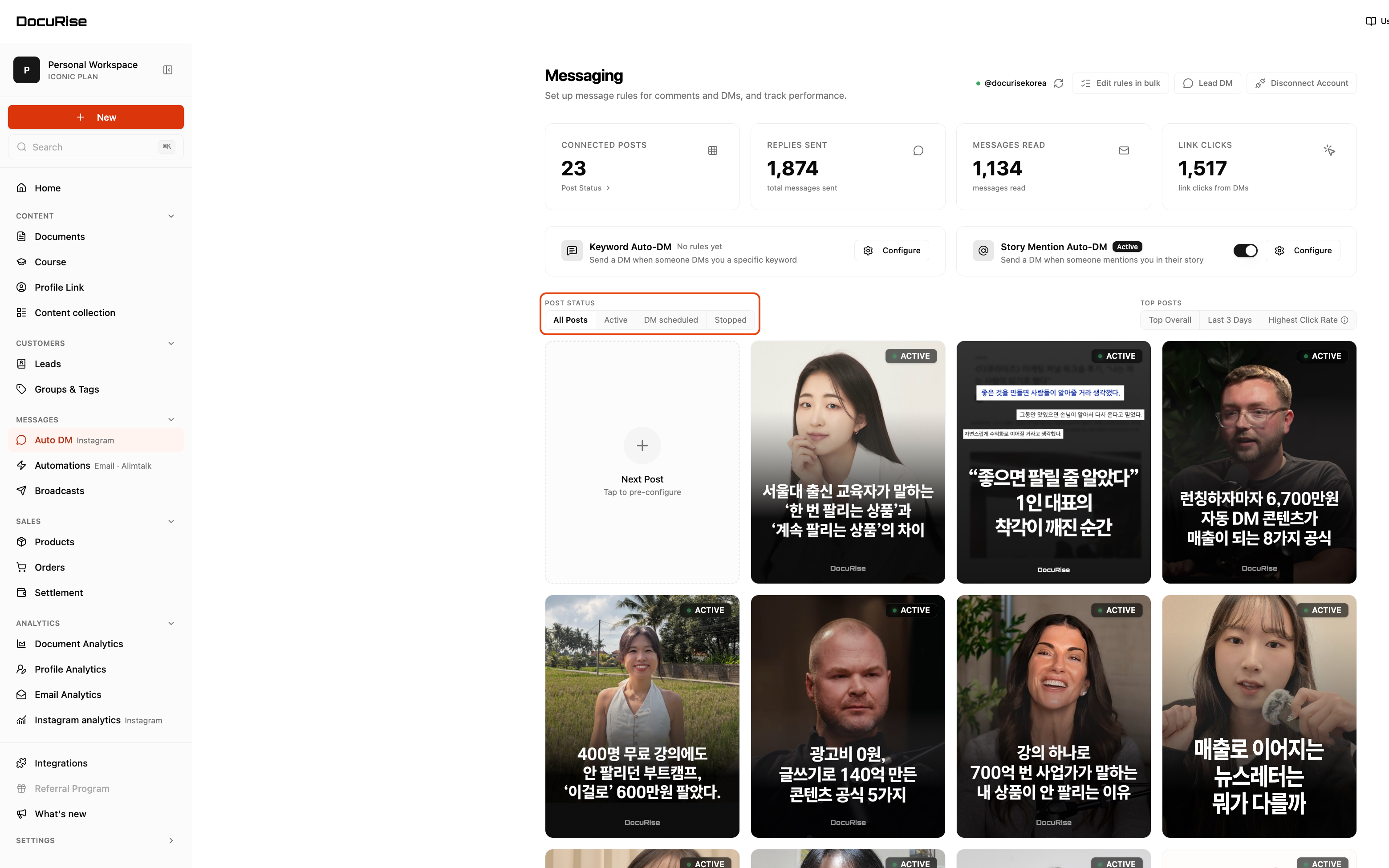
There are three post statuses: Active, DM scheduled, and Stopped.
What each status means
- Active: the auto DM is on and working for this post now.
- DM scheduled: the post is waiting for its scheduled send time, or its operating hours haven't started yet.
- Stopped: the post's operating period has ended.
View posts by status
- In the left menu, click Auto DM.
- Under Post Status, click one of these: All Posts, Active, DM scheduled, Stopped.
Good to know
- Hover over the ⓘ on a post card badge, or click the badge on the message rule screen, to see what the status means.
Still need help?
Tell us what you need help with and which screen you are using.